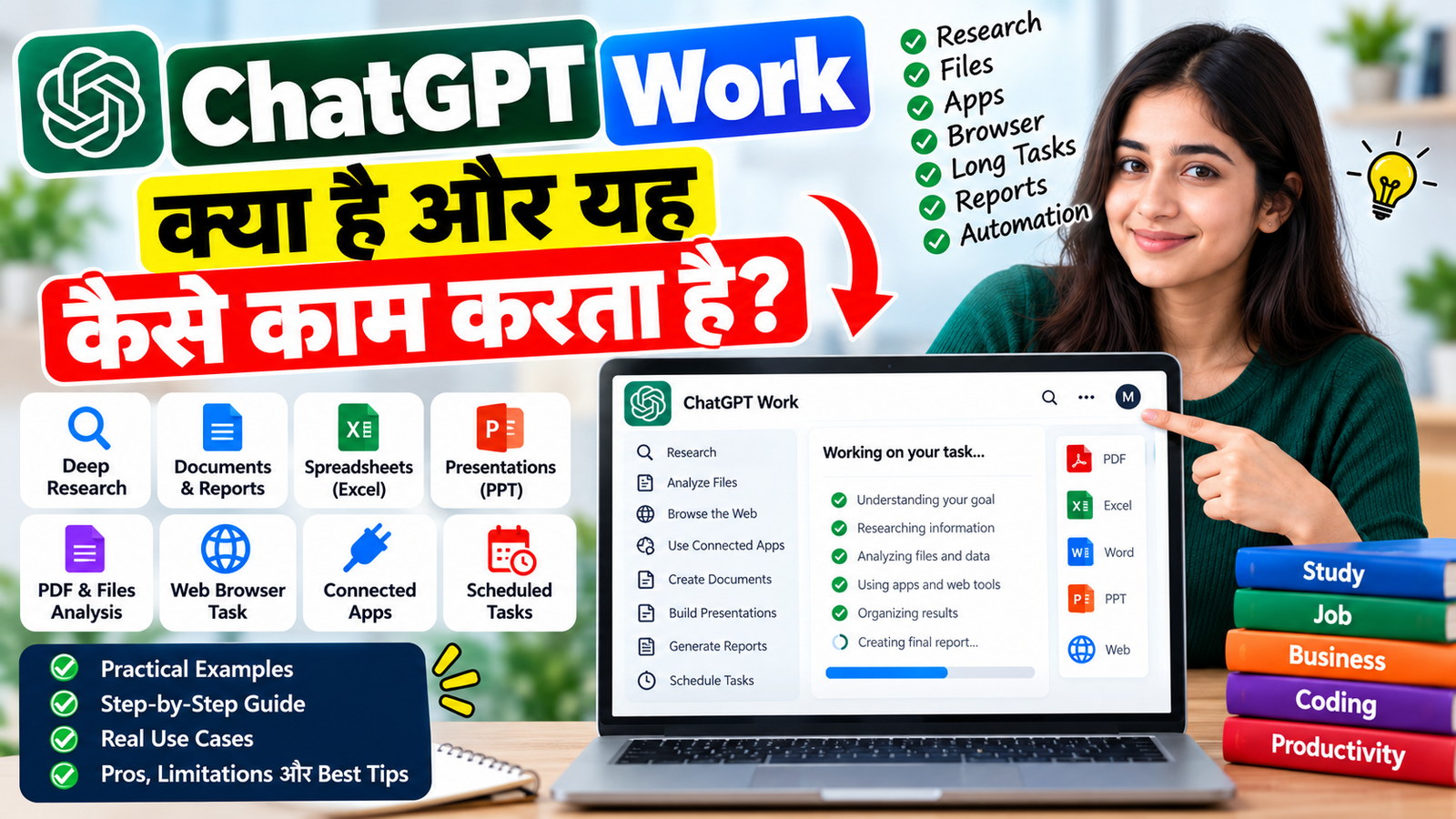
ChatGPT Work क्या है? कैसे काम करता है, Features, Uses और Practical Guide 2026
ChatGPT Work एक agentic AI experience है जो केवल सवालों के जवाब देने के बजाय research, information analysis, files, connected apps और multi-step tasks पर काम कर सकता है तथा कई मामलों में तैयार document, spreadsheet, presentation, report या Site तक बना सकता है।
Artificial Intelligence यानी AI की दुनिया अब केवल chatbot से आगे बढ़ रही है। पहले हम ChatGPT से कोई सवाल पूछते थे और उसका जवाब प्राप्त करते थे। लेकिन अब कुछ AI workflows ऐसे हैं जिनमें user केवल काम का goal बताता है, और AI उस काम को कई steps में पूरा करने की कोशिश करता है।
इसी तरह के workflow के लिए ChatGPT Work बनाया गया है।
OpenAI के अनुसार, Work का उपयोग research करने, information analyze करने, connected apps और files के साथ काम करने तथा documents, spreadsheets, presentations, reports और Sites जैसे finished outputs तैयार करने के लिए किया जा सकता है। User task के दौरान progress देख सकता है, clarification दे सकता है और important actions को approve कर सकता है।
इस article में हम आसान Hindi और basic Hinglish में समझेंगे कि ChatGPT Work क्या है, यह ChatGPT Chat से कैसे अलग है, यह कैसे काम करता है, इसका browser और files के साथ क्या connection है, इसके practical use cases क्या हैं और इसे इस्तेमाल करते समय किन बातों का ध्यान रखना चाहिए।
ChatGPT Work क्या है?
ChatGPT Work एक agentic work environment है जिसे longer और more involved tasks के लिए बनाया गया है।
साधारण ChatGPT में आप सामान्यतः सवाल पूछते हैं और answer प्राप्त करते हैं।
उदाहरण:
“भारत में AI के latest trends बताओ।”
लेकिन Work में आप ज्यादा complete outcome मांग सकते हैं:
“भारत में AI के latest trends पर research करो, reliable sources analyze करो और एक structured report तैयार करो।”
ऐसे task में Work research और analysis कर सकता है, उपलब्ध files या connected apps का उपयोग कर सकता है और requested output तैयार करने की कोशिश कर सकता है।
Simple Difference
| ChatGPT Chat | ChatGPT Work |
|---|---|
| Quick questions और conversation | Longer और multi-step tasks |
| Answer-oriented | Outcome-oriented |
| सामान्य बातचीत | Research और execution workflow |
| Simple drafting | Complete documents/reports |
| Basic assistance | Files, apps और supported browser workflows |
| Immediate response | Task को कई steps में handle कर सकता है |
इसका मतलब यह नहीं है कि ChatGPT का normal Chat mode खत्म हो गया है। OpenAI के अनुसार Chat अभी भी quick questions और conversational help के लिए उपलब्ध है, जबकि Work को अधिक involved tasks के लिए इस्तेमाल किया जाता है।
ChatGPT Work कैसे काम करता है?
ChatGPT Work को समझने के लिए इसका basic workflow समझना जरूरी है।
Step 1: अपना Goal बताएं
सबसे पहले आपको यह बताना होता है कि आपको final result क्या चाहिए।
उदाहरण:
“मेरी uploaded PDF को analyze करके 20 important questions बनाओ।”
या:
“इस topic पर research करके एक detailed report तैयार करो।”
Step 2: Context और Files दें
अगर task में कोई PDF, Excel, document या दूसरी relevant file है तो उसे provide किया जा सकता है।
उदाहरण:
- Documents
- Spreadsheet
- Reports
- Project files
- अन्य supported files
Work को task के साथ जरूरी context और constraints देना output को ज्यादा useful बनाने में मदद करता है। OpenAI की documentation भी Work task शुरू करते समय files, context और desired deliverable बताने की सलाह देती है।
Step 3: Work Task को Analyze करता है
अब Work आपके goal को समझकर task को अलग-अलग steps में handle कर सकता है।
उदाहरण के लिए:
Goal:
“एक competitor research report बनाओ।”
Possible workflow:
- Topic समझना
- Relevant information research करना
- Information organize करना
- Important points identify करना
- Comparison तैयार करना
- Findings को structure करना
- Final report तैयार करना
यही agentic workflow का important हिस्सा है—AI केवल एक sentence का जवाब नहीं देता, बल्कि requested outcome तक पहुंचने के लिए multiple steps पर काम कर सकता है।
ChatGPT Work में Research कैसे कर सकते हैं?
Work का एक important use case research है।
मान लीजिए आपको किसी technology topic पर detailed research करनी है।
आप ऐसा prompt दे सकते हैं:
“AI में 2026 के major developments पर research करो। Important developments को categories में divide करो, reliable sources के आधार पर summary तैयार करो और अंत में एक structured report बनाओ।”
Work research और analysis workflow को organize कर सकता है। OpenAI Work को research और information analysis के लिए specifically position करता है।
Research में आप क्या मांग सकते हैं?
- Topic research
- Competitor research
- Market information
- Product comparison
- Industry research
- Source-based summary
- Report preparation
- Data organization
- Research notes
- Presentation material
हालांकि important business, financial, legal या other high-stakes information को final use से पहले sources और results verify करना जरूरी है।
ChatGPT Work और Files
ChatGPT Work files के साथ भी काम कर सकता है।
उदाहरण:
आपके पास एक PDF report है और आप चाहते हैं:
“इस PDF को पढ़कर executive summary बनाओ।”
या:
“इस Excel data को analyze करके important trends और tables तैयार करो।”
या:
“इन documents को compare करके differences बताओ।”
Desktop app में Work को local files के साथ permission देकर काम करने की सुविधा भी दी गई है। Web और mobile पर Work सीधे आपके computer की local files access नहीं करता; वहां आपको उपलब्ध तरीके से files provide करनी होती हैं।
ChatGPT Work और Browser का इस्तेमाल
ChatGPT Work का एक powerful हिस्सा browser-based tasks हैं।
OpenAI के अनुसार Cloud Browser ChatGPT Work को cloud में अपना browser/computer देता है। यह supported websites पर webpages पढ़ सकता है, buttons click कर सकता है, forms में information भर सकता है और कुछ supported tasks को execute कर सकता है।
उदाहरण:
“इस website पर उपलब्ध information check करके एक comparison report तैयार करो।”
या:
“इन websites पर available information को research करके summary बनाओ।”
कुछ supported websites पर sign-in की आवश्यकता होने पर Work secure sign-in flow का उपयोग कर सकता है और sensitive steps पर user confirmation मांग सकता है।
क्या ChatGPT Work Website पर काम कर सकता है?
कुछ supported websites पर हाँ।
उदाहरण के लिए Work ऐसे tasks में मदद कर सकता है:
- Website research
- Information collection
- Forms के साथ supported interactions
- Online information comparison
- कुछ booking/research workflows
- Business information collection
- Signed-in websites पर supported tasks
लेकिन हर website पर हर action automatically possible नहीं है।
कुछ websites automated browser agents को block कर सकती हैं और कुछ actions के लिए user confirmation या manual intervention की जरूरत हो सकती है।
ChatGPT Work और Connected Apps
Work connected apps के साथ भी काम कर सकता है, यदि वे आपके account/workspace में available और authorized हों।
Connected apps के माध्यम से supported workflows में:
- Information search
- Existing data reference
- Research
- Documents के साथ काम
- कुछ supported updates/actions
जैसे tasks किए जा सकते हैं। App availability और permissions account तथा workspace settings पर depend करती हैं।
इसलिए हर user को exactly वही apps या actions मिलें, यह जरूरी नहीं है।
ChatGPT Work में Documents और Reports बनाना
Work का एक बड़ा फायदा यह है कि इसका goal केवल answer देना नहीं है।
OpenAI के अनुसार Work finished:
- Documents
- Spreadsheets
- Presentations
- Reports
- Sites
जैसे outputs बनाने में मदद कर सकता है।
Example
अगर आप कहते हैं:
“मेरी research को 10-slide presentation में organize करो।”
तो Work task के context के अनुसार presentation-oriented output तैयार करने की कोशिश कर सकता है।
इसी तरह:
“इस data की detailed report बनाओ।”
या:
“इस research को professional document में convert करो।”
जैसे instructions भी दिए जा सकते हैं।
ChatGPT Work में Scheduled Tasks क्या हैं?
Work केवल one-time task तक सीमित नहीं है।
OpenAI के अनुसार Work tasks को:
- एक बार चलाया जा सकता है
- schedule पर repeat कराया जा सकता है
- किसी supported trigger पर चलाया जा सकता है
- changes monitor करने के लिए इस्तेमाल किया जा सकता है
यह capability available account, workspace और connected services पर depend कर सकती है।
Example
मान लीजिए आपको हर सुबह AI news का summary चाहिए।
आप एक scheduled workflow बना सकते हैं जो निर्धारित समय पर relevant information check करके summary तैयार करे।
इसी तरह business या project monitoring में भी scheduled workflows उपयोगी हो सकते हैं।
ChatGPT Work का Practical Example
मान लीजिए आप एक blogger हैं और आपको किसी नए AI tool पर article लिखना है।
आप Work को ऐसा task दे सकते हैं:
“इस AI tool पर detailed research करो। इसके features, pricing information, important use cases और limitations को reliable sources से collect करो। Information को organize करके SEO-friendly article structure और FAQ तैयार करो।”
इसमें workflow कुछ ऐसा हो सकता है:
Research → Information Analysis → Organization → Draft → Review → Final Output
यानी user को हर छोटा step manually करने की जरूरत कम हो सकती है।
Developers के लिए ChatGPT Work कितना Useful है?
Developers के लिए Work research और project-related tasks में उपयोगी हो सकता है।
उदाहरण:
“इस project documentation को analyze करके missing documentation points identify करो।”
या:
“इस API documentation को पढ़कर integration guide तैयार करो।”
या:
“इस project requirement को modules, features और development tasks में organize करो।”
हालांकि software development के लिए ChatGPT ecosystem में Codex अलग experience है, जो code लिखने, debug करने, tests/commands चलाने और repositories के साथ development workflows के लिए बनाया गया है।
इसलिए:
Research / documents / broader work → Work
Code development / repository / debugging → Codex
यह distinction समझना useful है।
Students के लिए ChatGPT Work
Students research और study workflows में Work का उपयोग कर सकते हैं।
Example Tasks
- PDF से study notes बनाना
- Research material organize करना
- Multiple documents compare करना
- Chapter-wise questions बनाना
- Revision material तैयार करना
- Presentation content तैयार करना
- Research report organize करना
उदाहरण:
“मेरी uploaded study material को analyze करके chapter-wise revision notes और 50 important questions तैयार करो।”
Job Seekers के लिए ChatGPT Work
Job preparation में भी इसका इस्तेमाल किया जा सकता है।
उदाहरण:
“मेरे resume और job description को compare करके relevant skills identify करो और interview preparation questions बनाओ।”
या:
“इस job description के आधार पर interview preparation plan तैयार करो।”
AI-generated resume या interview material को अपनी वास्तविक skills और experience के अनुसार जरूर verify और personalize करना चाहिए।
Business के लिए ChatGPT Work
Business users के लिए multi-step workflows विशेष रूप से useful हो सकते हैं।
Examples
- Business research
- Competitor analysis
- Reports
- Documents
- Customer information organization
- Data analysis
- Presentation preparation
- Internal research
- Recurring monitoring
Connected apps available होने पर Work उनसे relevant information भी use कर सकता है, लेकिन permissions और workspace controls लागू होते हैं।
ChatGPT Work के Key Features
| Feature | क्या काम करता है |
|---|---|
| Research | किसी topic पर research workflow |
| Analysis | Information और data को analyze करना |
| Files | Supported files के साथ काम |
| Connected Apps | Authorized apps से information/workflow |
| Browser | Supported websites पर tasks |
| Documents | Documents तैयार करने में मदद |
| Spreadsheet | Spreadsheet-oriented outputs |
| Presentation | Presentation तैयार करने में मदद |
| Reports | Structured reports |
| Sites | Supported workflows में Sites बनाना |
| Scheduled Tasks | Recurring या trigger-based work |
| Human Approval | Important actions पर user control |
ChatGPT Work इस्तेमाल करने का सही तरीका
अच्छा result पाने के लिए सिर्फ:
“Research करो।”
लिखने के बजाय detailed instruction देना बेहतर है।
Better Prompt
“भारत में AI education tools पर research करो। 2026 की current information को प्राथमिकता दो। Reliable sources का उपयोग करो। Findings को table में organize करो और अंत में 1000 शब्दों की Hindi report तैयार करो। जहां information uncertain हो, उसे clearly mention करो।”
इस तरह Work को:
Goal + Context + Sources + Output Format + Constraints
मिल जाते हैं।
ChatGPT Work के लिए Prompt Formula
एक simple formula याद रखें:
Goal + Context + Data + Constraints + Output
Example
Goal: Research report बनानी है
Context: AI education tools
Data: Online sources + uploaded PDF
Constraints: Current information और reliable sources
Output: Table + detailed report + FAQ
इस तरह का prompt ज्यादा structured workflow बनाने में मदद करता है।
ChatGPT Work इस्तेमाल करते समय Privacy का ध्यान रखें
AI agent को browser, files और connected apps के साथ access देने पर privacy और security important हो जाती है।
विशेष रूप से:
- Password chat में paste न करें।
- OTP या security code share न करें।
- Banking information सावधानी से handle करें।
- Sensitive documents केवल आवश्यकता होने पर provide करें।
- Website/account खुलने पर सही account verify करें।
- Important actions को approve करने से पहले review करें।
OpenAI भी cloud browser workflows में website, sign-in state और confirmation requests को review करने की सलाह देता है। Credentials को chat में paste करने के बजाय secure sign-in flow का उपयोग करना चाहिए।
क्या ChatGPT Work हर काम खुद कर सकता है?
नहीं।
यह एक important point है।
ChatGPT Work की capabilities website, connected app, permissions, account और workspace configuration पर depend करती हैं।
कुछ websites automated access block कर सकती हैं। कुछ actions supported नहीं हो सकते और कुछ sensitive actions के लिए user confirmation जरूरी हो सकती है।
इसलिए Work को “हर काम automatically करने वाला system” समझना सही नहीं होगा।
इसे एक AI work assistant/agentic workflow की तरह समझना ज्यादा practical है, जिसमें user goal देता है और AI उपलब्ध tools और permissions के आधार पर task पूरा करने की कोशिश करता है।
ChatGPT Work और Normal Chat में अंतर
| Point | Normal Chat | ChatGPT Work |
|---|---|---|
| Main Purpose | Conversation | Work completion |
| Questions | बहुत useful | Useful |
| Research | Basic/advanced depending workflow | Designed for research workflows |
| Multi-step Tasks | Limited/manual | Central use case |
| Files | Supported workflows | Work context में use |
| Connected Apps | Availability dependent | Supported workflows में use |
| Browser Tasks | Context dependent | Supported cloud/browser workflows |
| Reports | Generate कर सकता है | Finished deliverables पर focus |
| Scheduled Work | अलग task capabilities | Work scheduled workflows |
| User Control | Conversation | Progress + approvals + follow-up |
ChatGPT Work के फायदे
1. Long Tasks को Organize करना
बड़े काम को कई steps में handle करना आसान हो सकता है।
2. Research में मदद
Multiple information sources को research workflow में organize किया जा सकता है।
3. Files और Data
Relevant files और documents को task context में इस्तेमाल किया जा सकता है।
4. Finished Output
केवल answer के बजाय document, report, spreadsheet या presentation जैसे outputs पर focus किया जा सकता है।
5. Browser Workflows
Supported websites पर कुछ tasks को AI के माध्यम से handle किया जा सकता है।
6. Scheduled Work
कुछ tasks को schedule या trigger-based workflow के रूप में चलाया जा सकता है।
ChatGPT Work की Limitations
हर AI feature की तरह Work की भी limitations हैं।
- हर website supported नहीं होती।
- कुछ websites automated access block कर सकती हैं।
- हर connected app हर account में available नहीं होती।
- Permissions और workspace policies लागू हो सकती हैं।
- Important information को verify करना चाहिए।
- Sensitive actions में user approval की आवश्यकता हो सकती है।
- AI द्वारा तैयार output को blindly final नहीं मानना चाहिए।
ChatGPT Work को बेहतर तरीके से इस्तेमाल करने के Tips
- अपना final goal clearly बताएं।
- जरूरी files और context provide करें।
- Output format पहले से बताएं।
- Research के लिए reliable sources की requirement दें।
- Current information चाहिए तो current sources use करने को कहें।
- Large task को logical stages में define करें।
- Important actions को approve करने से पहले review करें।
- Final report में factual information verify करें।
- Password, OTP और sensitive credentials chat में न डालें।
- AI output को अपनी जरूरत के अनुसार edit और personalize करें।
ChatGPT Work किन लोगों के लिए Useful हो सकता है?
| User | Possible Use |
|---|---|
| Students | Research, notes और study material |
| Bloggers | Research और article preparation |
| Developers | Documentation और technical research |
| Business Owners | Reports और business research |
| Employees | Documents और productivity tasks |
| Researchers | Information analysis |
| Content Creators | Research और content planning |
| Professionals | Reports, presentations और workflows |
Frequently Asked Questions
ChatGPT Work क्या है?
ChatGPT Work एक agentic experience है जिसे longer और more involved tasks के लिए बनाया गया है। यह research, analysis, files, connected apps और supported browser workflows के साथ काम कर सकता है तथा finished outputs तैयार करने में मदद कर सकता है।
क्या ChatGPT Work normal Chat से अलग है?
हाँ। Normal Chat मुख्य रूप से conversation और quick assistance के लिए है, जबकि Work longer tasks और outcome-oriented workflows के लिए बनाया गया है।
क्या ChatGPT Work PDF और files के साथ काम कर सकता है?
हाँ, Work task के context में supported files का उपयोग किया जा सकता है। Desktop app में Work को permission देकर local files के साथ भी काम कराया जा सकता है।
क्या ChatGPT Work websites पर काम कर सकता है?
कुछ supported websites पर Work browser के माध्यम से information पढ़ने और actions perform करने में मदद कर सकता है। Website restrictions और permissions लागू हो सकती हैं।
क्या ChatGPT Work automatically सब कुछ कर देता है?
नहीं। इसकी capabilities उपलब्ध tools, website support, permissions और task की nature पर depend करती हैं। कुछ actions के लिए user confirmation या manual intervention की आवश्यकता हो सकती है।
ChatGPT Work और Codex में क्या अंतर है?
Work broader research, information, files, connected apps और finished deliverables के लिए बनाया गया है। Codex software development, coding, debugging, tests और repositories जैसे developer workflows के लिए है।
क्या ChatGPT Work में scheduled tasks हो सकते हैं?
हाँ। OpenAI के अनुसार Work tasks को one-time, recurring या supported triggers/monitoring workflows के रूप में इस्तेमाल किया जा सकता है, availability के अनुसार।
निष्कर्ष
ChatGPT Work AI को केवल question-answering tool के बजाय एक task-oriented work assistant की तरह इस्तेमाल करने की दिशा में एक महत्वपूर्ण feature है।
जहां normal Chat में हम अक्सर सवाल पूछकर answer लेते हैं, वहीं Work में हम goal, context, files और constraints देकर एक पूरा task या deliverable तैयार करवाने की कोशिश कर सकते हैं।
Research, documents, reports, presentations, spreadsheets, browser-based tasks, connected apps और scheduled workflows जैसे use cases इसे professionals, students, developers, creators और business users के लिए useful बना सकते हैं।
लेकिन AI agent को बिना review के पूरी तरह autonomous मानना सही नहीं है। Website access, permissions, security और important results को हमेशा review करना चाहिए।
अगर आप ChatGPT Work को सही तरीके से use करना चाहते हैं, तो सबसे important rule है:
“सिर्फ सवाल मत पूछिए — अपना goal, context, required output और constraints clearly बताइए।”
यही approach AI से ज्यादा structured और practical results लेने में मदद कर सकती है।
Team Sarkari Resultess



Comments (0)
Login to leave a comment.