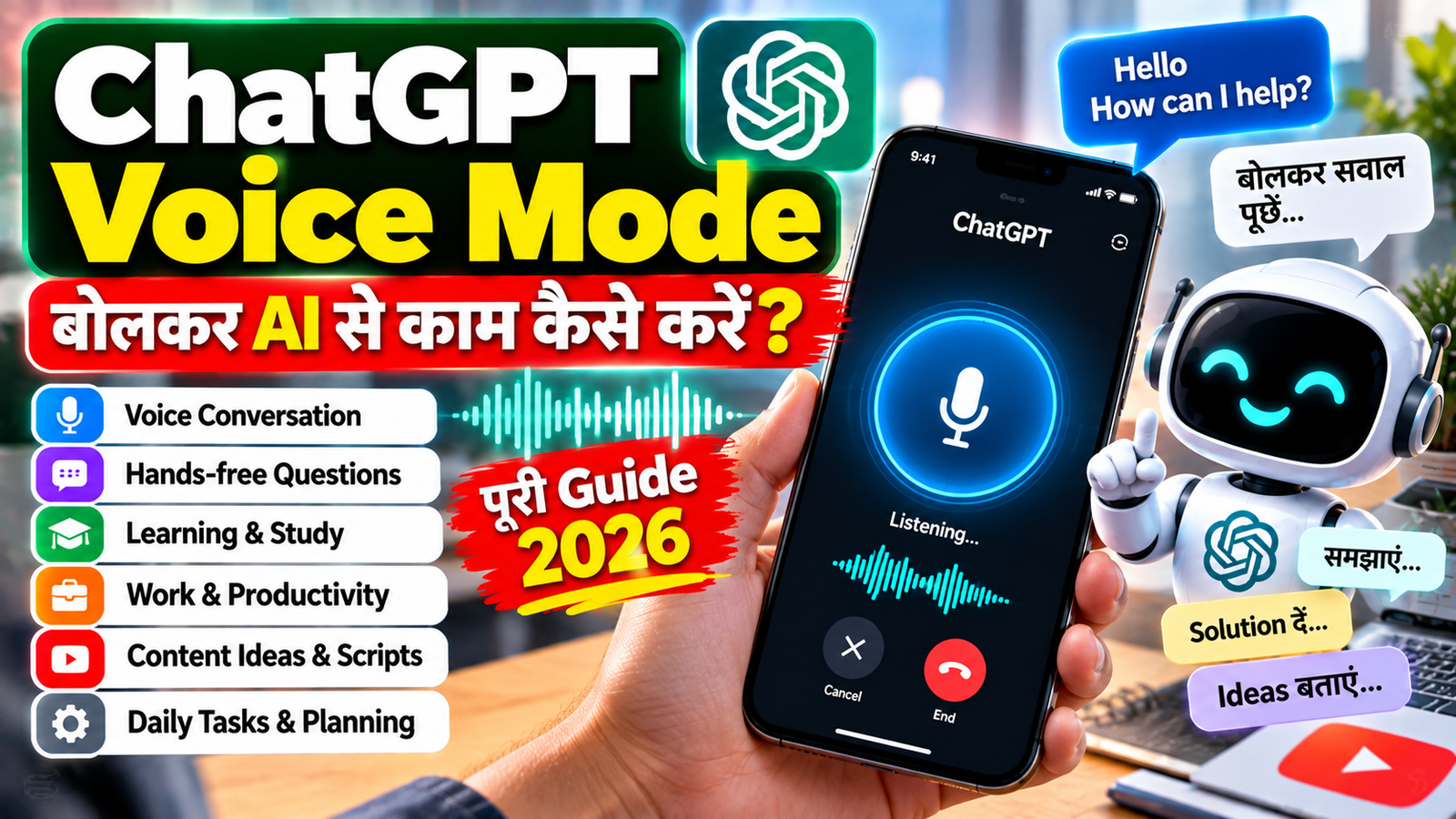
ChatGPT Voice Mode: बोलकर AI से काम कैसे करें? Voice Conversation, Learning और Daily Tasks की पूरी Guide 2026
अब AI से बातचीत करने के लिए हर बार keyboard पर typing करना जरूरी नहीं है। ChatGPT Voice की मदद से आप बोलकर सवाल पूछ सकते हैं और ChatGPT का जवाब आवाज़ में सुन सकते हैं। Voice conversation में आप बातचीत के दौरान follow-up questions पूछ सकते हैं और chat में text responses भी देख सकते हैं।
Voice खास तौर पर तब useful हो सकता है जब आप typing नहीं करना चाहते, किसी topic को conversational तरीके से समझना चाहते हैं, language practice करना चाहते हैं या चलते-फिरते ideas discuss करना चाहते हैं।
इस guide में हम ChatGPT Voice Mode क्या है, इसे कैसे शुरू करें, किन कामों में इस्तेमाल करें, Voice और Dictation में क्या difference है, कौन-कौन से Voice options उपलब्ध हैं और privacy व accuracy के लिए किन बातों का ध्यान रखना चाहिए समझेंगे।
ChatGPT Voice Mode क्या है?
ChatGPT Voice एक ऐसा feature है जिसके जरिए आप ChatGPT से बोलकर बातचीत कर सकते हैं और उसका जवाब spoken audio में सुन सकते हैं। यह normal chat के साथ integrated है, इसलिए conversation के दौरान text भी देखा जा सकता है।
उदाहरण के लिए आप बोल सकते हैं:
“मुझे English speaking practice कराओ।”
या:
“आज के important technology topics simple Hindi में समझाओ।”
फिर ChatGPT voice में जवाब दे सकता है और आप उसी conversation में आगे सवाल पूछ सकते हैं।
ChatGPT Voice और Dictation में क्या Difference है?
इन दोनों को अक्सर एक ही feature समझ लिया जाता है, लेकिन इनका purpose अलग है।
Voice
Voice में आप दो तरफा बातचीत करते हैं। आप बोलते हैं और ChatGPT spoken response देता है।
Dictation
Dictation में आपका बोले हुए audio को text में transcribe किया जाता है, जिसे आप आगे edit करके chat message के रूप में इस्तेमाल कर सकते हैं।
इसलिए:
Voice = बोलकर बातचीत
Dictation = बोलकर text लिखना
ChatGPT Voice कैसे Start करें?
Current ChatGPT Voice experience में web और supported mobile apps पर Voice control से conversation शुरू की जा सकती है। पहली बार microphone permission मांगी जा सकती है।
Web पर
- ChatGPT खोलें।
- Prompt area में Voice icon select करें।
- Browser को microphone permission दें।
- बोलना शुरू करें।
Android या iPhone पर
- ChatGPT app खोलें।
- Message bar के पास Voice icon चुनें।
- Microphone permission दें।
- Voice conversation शुरू करें।
आपके account, app version, region और plan के अनुसार exact interface अलग दिखाई दे सकता है।
ChatGPT Voice में कौन-कौन से Options हैं?
Current ChatGPT settings में users को उपलब्ध configuration के अनुसार Live, Advanced और Standard Voice options दिखाई दे सकते हैं।
Live
Live natural back-and-forth conversation के लिए designed है। यह spoken interaction के साथ text chat में भी काम कर सकता है और supported accounts में web search, memory, visual results तथा text और image context का उपयोग कर सकता है।
Advanced
Advanced previous real-time Voice experience है। Supported mobile use cases में video या screen sharing जैसी capabilities इसके साथ उपलब्ध हो सकती हैं।
Standard
Standard turn-by-turn Voice experience है, जिसमें आपकी speech को transcribe करके उसके बाद response generate किया जाता है।
कौन-सा option उपलब्ध होगा यह plan, workspace settings, region और app version के अनुसार बदल सकता है।
ChatGPT Voice का सबसे अच्छा Use क्या है?
Voice Mode का फायदा केवल “बोलकर सवाल पूछना” नहीं है। इसे कई practical workflows में इस्तेमाल किया जा सकता है।
1. English Speaking Practice
आप ChatGPT से English conversation practice कर सकते हैं।
Prompt:
Act as my English speaking partner. Talk to me in simple English. Ask me one question at a time. Correct my grammar after I answer. Keep the conversation beginner-friendly.
आप चाहें तो Hindi से English conversation practice भी कर सकते हैं।
2. Language Learning
Voice के साथ pronunciation और conversational practice ज्यादा interactive हो सकती है।
उदाहरण:
मेरे साथ English speaking practice करो। मुझसे रोजमर्रा के questions पूछो। मेरी grammar mistakes बताओ और correct sentence बोलकर बताओ।
इसके अलावा translation-based practice भी की जा सकती है।
3. Interview Practice
Job interview की preparation के लिए आप simulated interview कर सकते हैं।
Prompt:
Act as an HR interviewer. Take my mock interview for a software developer role. Ask one question at a time. Wait for my answer. Then give brief feedback and ask the next question.
इससे interview का conversational practice environment बनाया जा सकता है।
आप ChatGPT से Interview Preparation कैसे करें जैसी related guide भी पढ़ सकते हैं।
4. पढ़ाई में Voice का इस्तेमाल
Students किसी topic को conversational तरीके से समझने के लिए Voice use कर सकते हैं।
उदाहरण:
मुझे Photosynthesis Class 10 level पर simple Hindi में समझाओ। बीच-बीच में छोटे questions पूछकर मेरा understanding check करो।
या:
मुझे Indian Polity का एक topic teacher की तरह समझाओ। हर section के बाद एक छोटा quiz लो।
इस तरह voice को interactive learning assistant की तरह इस्तेमाल किया जा सकता है।
5. Brainstorming और Ideas
Typing के बजाय बोलकर ideas निकालना कई situations में convenient हो सकता है।
आप कह सकते हैं:
मैं Technology और AI पर YouTube channel शुरू करना चाहता हूं। मेरे साथ brainstorming करो। मुझसे questions पूछो और फिर channel के लिए content categories suggest करो।
यह खास तौर पर तब useful है जब आपके पास कोई rough idea हो लेकिन उसे structure नहीं कर पा रहे हों।
6. Content Writing में Voice Mode
Writers बोलकर अपना raw idea बता सकते हैं।
उदाहरण:
मैं तुम्हें अपने article का rough idea बोलकर बताऊंगा। पहले मेरी बात को समझो। फिर उसे structured blog outline में convert करो।
इसके बाद उसी conversation में आप:
अब introduction लिखो।
या:
अब इसे SEO-friendly article structure में convert करो।
जैसे follow-up instructions दे सकते हैं।
Content creators के लिए ChatGPT से Content Writing कैसे करें और YouTube creators के लिए ChatGPT से YouTube Video Script कैसे बनाएं भी related topics हैं।
7. Notes और Brain Dump
आप किसी idea को पहले बोलकर capture कर सकते हैं।
उदाहरण:
मैं अभी अपने project के कुछ ideas बोल रहा हूं। पहले सब points note करो। जब मैं complete बोल दूं तब इन्हें tasks में convert करना।
इसके बाद:
अब इन ideas को priority के हिसाब से arrange करो।
यह workflow meetings, planning और personal productivity में उपयोगी हो सकता है।
8. Daily Planning
आप Voice में अपना daily plan discuss कर सकते हैं।
आज मुझे तीन काम करने हैं: एक client project, एक blog article और शाम को एक meeting। मेरे लिए realistic schedule बनाओ।
फिर:
इसे सुबह से शाम तक time blocks में divide करो।
9. Coding और Technical Discussion
Developers technical concepts verbally discuss कर सकते हैं।
उदाहरण:
मुझे Laravel में authentication architecture समझाओ। Beginner-friendly language में explain करो।
फिर follow-up:
अब इसी architecture का database flow समझाओ।
या:
अब sample API structure बताओ।
Coding और AI learning के लिए ChatGPT से Coding कैसे सीखें भी useful related guide है।
10. Translation के लिए Voice
Voice conversation में language translation भी use की जा सकती है। OpenAI ने Voice में ongoing translation capability का support document किया है।
उदाहरण:
मैं Hindi में बोलूंगा। तुम हर sentence को English में translate करके बोलो।
या:
अब English से Hindi translation करो। Conversation खत्म मत करना, मैं आगे बोलता रहूंगा।
ChatGPT Voice से Better Results कैसे लें?
सिर्फ:
Help me.
कहने के बजाय context दें।
Better:
मैं beginner हूं। मुझे Excel बिल्कुल basic level से समझना है। Hindi + simple English में explain करो। हर step के बाद पूछो कि मैं आगे बढ़ना चाहता हूं या नहीं।
Voice conversation में भी role + context + goal + output style बताना उपयोगी रहता है।
ChatGPT Voice के लिए Useful Prompts
English Practice
Be my English speaking partner. Ask me one question at a time. Correct my grammar after every answer.
Interview Practice
Take a mock interview for a web developer job. Ask one question at a time and give short feedback.
Study
Teach me this topic like a beginner-friendly teacher. Use simple Hindi and ask questions during the lesson.
Brainstorming
Help me brainstorm ideas for my new YouTube channel. Ask me questions first and then suggest ideas.
Daily Planning
Help me plan my day. First ask what tasks I need to complete today.
Content Ideas
I will tell you my rough content idea. Ask follow-up questions and turn it into a structured blog outline.
Voice Mode में Interrupt कैसे करें?
Natural voice conversation में बीच में response interrupt करना useful हो सकता है, especially Live experience में, जिसे OpenAI natural turn-taking और interruptions के लिए designed बताता है।
उदाहरण:
ChatGPT explain कर रहा है और आप बोलते हैं:
“रुको, इसे Hindi में समझाओ।”
फिर conversation उसी context में आगे बढ़ सकती है।
क्या ChatGPT Voice में Text भी दिखाई देता है?
हाँ। Current Live experience में spoken responses के साथ text responses chat में दिखाई दे सकते हैं। इससे आप सुनने के साथ response को पढ़ भी सकते हैं।
यह खास तौर पर useful है जब:
- कोई technical term सुनाई न दे
- आपको spelling check करनी हो
- किसी answer को बाद में पढ़ना हो
- कोई code या structured information देखनी हो
क्या ChatGPT Voice में Web Search इस्तेमाल हो सकता है?
Current Live experience supported accounts में web search का उपयोग कर सकता है। इसका मतलब यह है कि Voice conversation के दौरान कुछ current information-based questions के लिए web search उपलब्ध हो सकती है।
फिर भी current facts के लिए answer को critically review करना अच्छा practice है।
क्या Voice में Images के साथ काम किया जा सकता है?
Current Live experience text और images के साथ उसी conversation में काम कर सकता है, जबकि कुछ mobile capabilities जैसे video और screen sharing Advanced Voice में available हो सकती हैं।
उदाहरण:
इस image में क्या दिखाई दे रहा है?
या supported mobile setup में camera context के जरिए:
इस object के बारे में मुझे बताओ।
Video और screen sharing की exact availability Voice option और account पर depend कर सकती है।
ChatGPT Voice में Privacy का ध्यान कैसे रखें?
Voice conversation में भी sensitive information के मामले में सावधानी रखना जरूरी है।
इन चीजों को unnecessarily share न करें:
- Password
- OTP
- Banking credentials
- Private account details
- Sensitive business information
- Confidential documents की जानकारी
विशेषकर public places में Voice इस्तेमाल करते समय आसपास के लोगों को आपकी conversation सुनाई दे सकती है।
ChatGPT Voice में Accuracy का ध्यान रखें
Voice में interaction natural होने के बावजूद ChatGPT गलत information दे सकता है। OpenAI भी important और date-sensitive information को verify करने की सलाह देता है।
इसलिए:
Medical information → trusted source/doctor से verify करें
Financial information → reliable financial sources से verify करें
Legal information → official/legal source से verify करें
Current news → current trusted sources से verify करें
Voice और Normal Text Chat में क्या Difference है?
| Feature | Voice | Text |
|---|---|---|
| Input | बोलकर | Typing |
| Response | Voice + text | Mainly text |
| Conversation | Natural spoken interaction | Written interaction |
| Hands-free use | Yes | Limited |
| Long-form reading | Less convenient | More convenient |
| Speaking Practice | Very useful | Limited |
| Coding | Discussion के लिए useful | Code देखने के लिए ज्यादा convenient |
| Quick Questions | Convenient | Convenient |
| Privacy in public | Headphones recommended | Generally easier |
ChatGPT Voice किन लोगों के लिए Useful हो सकता है?
Students
Learning, revision और speaking practice के लिए।
Job Seekers
Mock interview और communication practice के लिए।
Developers
Technical concepts discuss करने और troubleshooting ideas explore करने के लिए।
Content Creators
Ideas, brainstorming, scripts और content planning के लिए।
Professionals
Planning, meetings के बाद notes organize करने और brainstorming के लिए।
Daily Users
General questions, translation, planning और conversational assistance के लिए।
ChatGPT Voice की Limitations
Voice experience powerful है, लेकिन हर account पर exactly same features नहीं मिलेंगे।
Feature Availability
Voice options plan, workspace settings, region और app version के अनुसार बदल सकते हैं।
Usage Limits
Voice usage limits plan के अनुसार अलग हो सकते हैं और OpenAI समय के साथ limits बदल सकता है। September 2026 release notes में Voice plans और usage limits में updates documented हैं।
Accuracy
Natural voice होने का मतलब यह नहीं कि हर answer automatically correct होगा।
Internet और Device Dependency
Voice experience के लिए compatible device/browser, microphone access और internet connection की जरूरत हो सकती है।
ChatGPT Voice के Best Practices
1. शुरुआत में context दें
मैं beginner हूं और Hindi में सीखना चाहता हूं।
2. One task at a time दें
पहले explanation लें, फिर follow-up question करें।
3. Response style specify करें
Short answer दो।
या:
Detailed explanation दो।
4. Important information verify करें
विशेषकर current facts के मामले में।
5. Public places में headphones use करें
Privacy और आसपास के लोगों की convenience के लिए।
ChatGPT Voice का Practical Workflow
Voice Start ↓ Goal बताएं ↓ Context दें ↓ Question / Task बताएं ↓ AI Response सुनें ↓ Follow-up पूछें ↓ Need हो तो clarification दें ↓ Final Answer / Notes / Output लें
इस workflow से Voice को सिर्फ casual conversation के बजाय एक practical productivity tool की तरह इस्तेमाल किया जा सकता है।
Frequently Asked Questions
ChatGPT Voice Mode क्या है?
ChatGPT Voice एक spoken conversation feature है जिसमें आप बोलकर ChatGPT से बातचीत कर सकते हैं और spoken response सुन सकते हैं।
क्या ChatGPT Voice mobile पर चलता है?
हाँ। Supported iOS और Android apps में Voice conversation शुरू की जा सकती है।
क्या ChatGPT Voice web पर भी available है?
हाँ। ChatGPT.com पर supported Voice interface के जरिए Voice conversation शुरू की जा सकती है।
क्या ChatGPT Voice free है?
Voice availability और usage limits plan के अनुसार बदल सकते हैं। Current limits और available Voice model आपके account और plan पर depend करते हैं।
क्या ChatGPT Voice Hindi समझ सकता है?
आप Hindi में Voice conversation कर सकते हैं; exact language behavior और response quality model और settings पर depend कर सकती है।
क्या ChatGPT Voice English Practice के लिए useful है?
हाँ। आप conversational practice, grammar correction और role-play interview जैसे workflows में Voice का इस्तेमाल कर सकते हैं।
क्या Voice और Dictation same हैं?
नहीं। Voice two-way spoken conversation है, जबकि Dictation speech को text में transcribe करने के लिए है।
क्या Voice में web search हो सकता है?
Current Live experience supported accounts में web search का उपयोग कर सकता है।
क्या Voice में screen sharing available है?
कुछ supported mobile Voice configurations में screen sharing उपलब्ध हो सकती है, जबकि current Live experience में यह supported नहीं है; इसके लिए Advanced Voice option इस्तेमाल किया जा सकता है जहां available हो।
क्या ChatGPT Voice का answer हमेशा सही होता है?
नहीं। Important, current और date-sensitive information को reliable sources से verify करना चाहिए।
Conclusion
ChatGPT Voice Mode AI के साथ interaction को typing से आगे लेकर जाता है। आप बोलकर questions पूछ सकते हैं, explanations सुन सकते हैं, English practice कर सकते हैं, interviews simulate कर सकते हैं, ideas brainstorm कर सकते हैं और daily planning जैसे tasks कर सकते हैं।
Current ChatGPT Voice experience में उपलब्ध options और capabilities account, plan, region और device के अनुसार अलग हो सकती हैं।
सबसे practical तरीका यह है कि Voice को casual chatting के साथ-साथ learning, productivity, brainstorming और communication practice के लिए structured तरीके से इस्तेमाल किया जाए।
और important information के मामले में Voice response को final source मानने के बजाय reliable information से verification जरूर करें।
Team Sarkari Resultess

Comments (0)
Login to leave a comment.