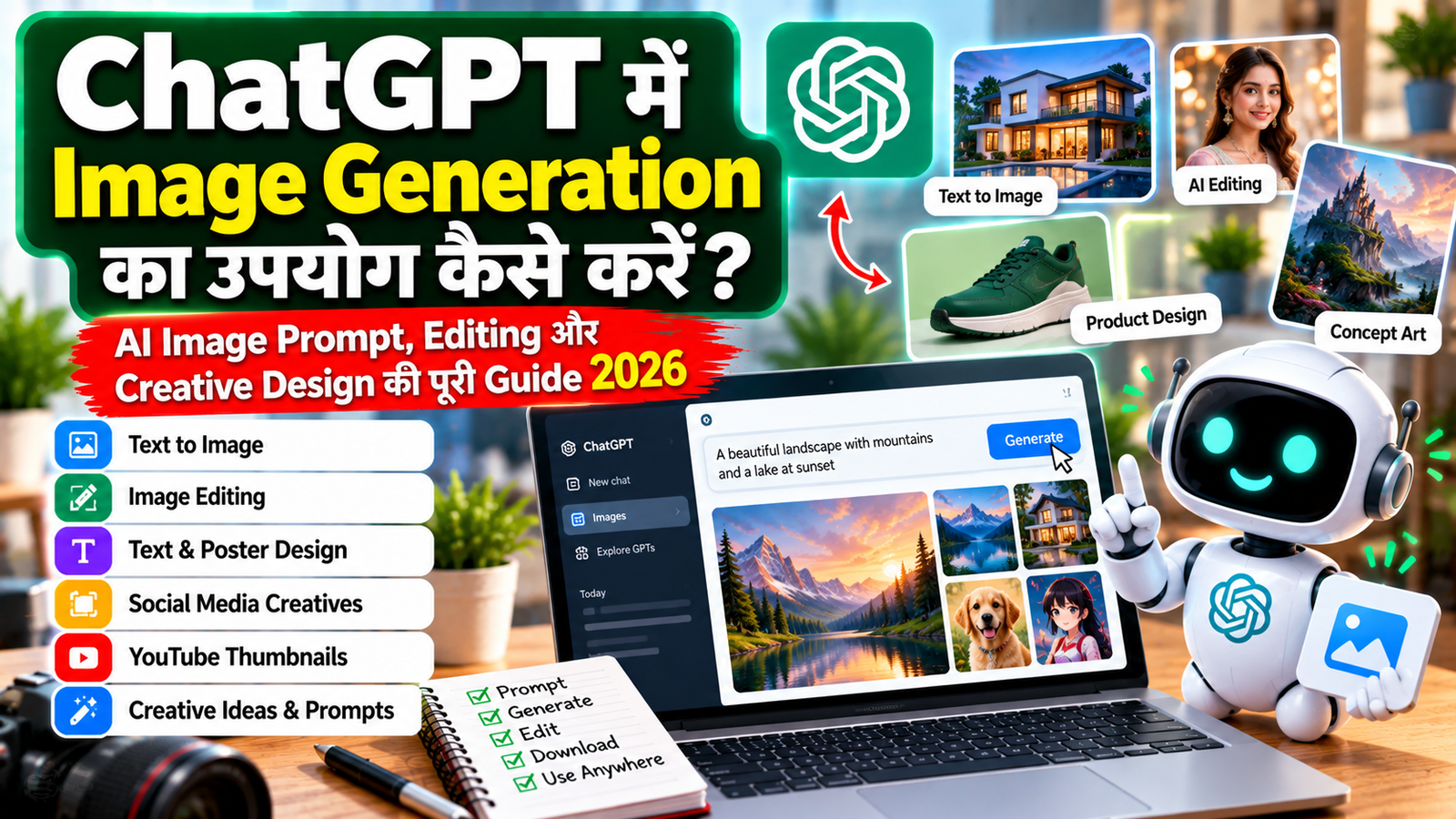
ChatGPT में Image Generation का उपयोग कैसे करें? AI Image Prompt, Editing और Creative Design की पूरी Guide 2026
अब AI की मदद से image बनाना केवल professional graphic designers तक सीमित नहीं है। ChatGPT में आप simple natural-language prompt देकर नई images create कर सकते हैं और existing images को भी edit कर सकते हैं। Current ChatGPT Images experience में image creation और editing के साथ text, aspect ratio, background और targeted visual changes जैसी instructions दी जा सकती हैं।
यह feature social media posts, blog thumbnails, presentation visuals, marketing creatives, concept designs, posters और कई तरह के visual content तैयार करने में मदद कर सकता है।
2026 में ChatGPT Images 2.5 के साथ sharper details, faster generation और more precise editing जैसी improvements भी उपलब्ध हैं। OpenAI के अनुसार ChatGPT Images web, iOS और Android पर उपलब्ध है और current availability सभी ChatGPT tiers तक बताई गई है, हालांकि कुछ capabilities और limits account या plan के अनुसार बदल सकती हैं।
इस guide में हम समझेंगे कि ChatGPT में Image Generation कैसे करें, अच्छे image prompts कैसे लिखें, existing image को edit कैसे करें, social media creatives कैसे बनाएं और बेहतर visual results कैसे प्राप्त करें।
ChatGPT Image Generation क्या है?
ChatGPT Image Generation का मतलब है कि आप text में अपने desired visual को describe करते हैं और ChatGPT उस description के आधार पर image generate कर सकता है। OpenAI के अनुसार prompt simple natural language में हो सकता है और आपको subject, purpose, composition, style, lighting और constraints जैसी details बताने में मदद मिलती है।
उदाहरण:
एक premium healthcare Instagram post बनाओ। एक elderly Indian patient घर पर physiotherapy कर रहा है। Environment clean और comfortable हो। Professional healthcare advertising style रखें।
इस तरह की instruction को image prompt कहा जा सकता है।
ChatGPT में Image कैसे Generate करें?
ChatGPT में नई image बनाने के लिए आप सीधे conversation में image बनाने का request कर सकते हैं या available Images option का उपयोग कर सकते हैं। OpenAI के current help documentation के अनुसार आप prompt देने के बाद image generate कर सकते हैं।
Basic workflow:
ChatGPT खोलें → Image/Images option चुनें या prompt लिखें → Image generate करें → जरूरत हो तो edit करें
आप शुरुआत में बहुत complicated prompt लिखने की जरूरत नहीं रखते। OpenAI Academy के अनुसार कई image requests के लिए 1–3 clear sentences भी पर्याप्त हो सकते हैं।
अच्छा Image Prompt कैसे लिखें?
अच्छा prompt केवल “एक सुंदर image बनाओ” लिखने से ज्यादा useful होता है।
Prompt में आम तौर पर ये चीजें बताना useful होता है:
1. Subject – image में क्या दिखना चाहिए?
2. Purpose – image किस काम के लिए है?
3. Composition – subject कहाँ होगा?
4. Style – realistic, cinematic, minimal, premium आदि।
5. Lighting – bright, soft, natural, studio आदि।
6. Constraints – क्या चीज नहीं बदलनी है?
OpenAI image prompting guidance भी subject, composition, style और constraints को स्पष्ट करने पर जोर देती है।
Simple Prompt vs Detailed Prompt
Simple Prompt
एक modern technology image बनाओ।
यह काफी broad है।
Better Prompt
एक premium modern technology visual बनाओ जिसमें एक laptop पर AI dashboard दिखाई दे। Background clean और minimal हो। Blue और white professional visual style रखें। Image website hero banner के लिए suitable हो।
दूसरे prompt में purpose, subject और visual direction ज्यादा clear है।
ChatGPT से Social Media Post कैसे बनाएं?
Social media creatives AI image generation का common use case हैं।
उदाहरण:
Instagram के लिए 1080 × 1080 square promotional graphic बनाओ। Topic: AI Productivity Tools Style: Modern, premium और professional Main visual: Laptop, AI interface और productivity dashboard Design: Clean layout, strong headline area और mobile-friendly composition
ChatGPT Images अलग-अलग aspect ratios के लिए image generation support करता है और आप aspect ratio selector या prompt के माध्यम से desired format specify कर सकते हैं।
Instagram Banner के लिए Prompt
Create a premium Instagram square banner. Size: 1080 × 1080 Theme: AI Productivity Visual: Modern laptop with an AI assistant, clean workspace and productivity dashboard. Style: Premium commercial advertising, realistic photography, modern lighting, clean composition. Keep enough negative space for headline text.
यह prompt visual direction को ज्यादा clearly define करता है।
YouTube Thumbnail कैसे बनाएं?
YouTube thumbnail के लिए prompt में सिर्फ topic बताने की बजाय thumbnail composition भी बताना useful है।
उदाहरण:
Create a high-contrast YouTube thumbnail. Topic: ChatGPT Image Generation Composition: Large ChatGPT visual on the right, large headline area on the left, modern AI workspace in the background. Style: Bold, vibrant and professional. Readable typography. Strong visual hierarchy.
इसके बाद generated image को refine किया जा सकता है।
ChatGPT से Blog Thumbnail कैसे बनाएं?
Blog thumbnail के लिए:
Create a professional blog thumbnail. Topic: ChatGPT से Excel और Data Analysis कैसे करें? Visual: Laptop showing spreadsheet, AI assistant and charts. Style: Modern technology editorial graphic. Aspect Ratio: 16:9 Keep the title area clean and readable.
आप इसके बाद कह सकते हैं:
Headline को थोड़ा छोटा करो और right side पर ज्यादा negative space रखो।
Current ChatGPT Images में generated image को further edit करने की सुविधा available है।
Existing Image को ChatGPT से Edit कैसे करें?
ChatGPT केवल नई images generate नहीं करता; आप existing image upload करके changes भी request कर सकते हैं।
उदाहरण:
इस image का background change करके एक modern office environment बनाओ। Person और foreground objects को same रखो।
या:
केवल background बदलो। Main subject, face, clothing और composition को preserve करो।
Targeted edits के लिए exact instructions देना बेहतर रहता है। OpenAI भी editing prompts में यह स्पष्ट करने की सलाह देता है कि क्या change होना है और क्या unchanged रहना चाहिए।
Specific Part को कैसे Edit करें?
Current ChatGPT Images editor में आप image के specific area को select करके edit instructions दे सकते हैं। बिना selection के भी conversation में सीधे edit request दी जा सकती है।
उदाहरण:
केवल shirt का color dark green कर दो। बाकी image में कोई बदलाव मत करो।
या:
Laptop screen पर दिख रहे graph को sales dashboard से replace करो। बाकी composition same रखो।
OpenAI documentation के अनुसार edits हमेशा selected area तक बिल्कुल सीमित नहीं रह सकते, इसलिए result को inspect करना जरूरी है।
ChatGPT से Background Remove कैसे करें?
जहाँ supported है, आप prompt के जरिए transparent background भी request कर सकते हैं। OpenAI Help Center में ChatGPT Images के लिए transparent background की capability documented है।
Prompt:
इस product image का background remove करो और transparent background रखो। Product की shape और details same रहें।
यह product graphics, logos और design assets के कुछ workflows में useful हो सकता है।
ChatGPT से Image में Text कैसे Add करें?
Image prompts में text भी specify किया जा सकता है। OpenAI की current documentation के अनुसार ChatGPT Images image के अंदर text, labels और headlines add करने के instructions follow कर सकता है।
Example:
Image में यह headline add करो: "AI से बेहतर काम करें" Headline बड़ा, clean और easy to read हो।
Text-heavy designs में exact wording, placement और hierarchy स्पष्ट बताना useful रहता है।
Image Prompt में Text कैसे लिखें?
अगर image में specific text चाहिए तो prompt में quotation marks का उपयोग करें:
Put the headline: "ChatGPT Image Generation 2026"
फिर location बताएं:
Place the headline in the upper-left corner.
और style:
Use bold, clean and highly readable typography.
OpenAI prompting guidance भी text instructions को very specific रखने की सलाह देती है।
Multiple Images का Reference कैसे Use करें?
Current ChatGPT Images में multiple uploaded images को reference के रूप में उपयोग किया जा सकता है। OpenAI Academy के अनुसार images को order के हिसाब से refer करके यह बताना useful है कि कौन-सी image किस purpose के लिए है।
Example:
Image 1 = मेरी product photo Image 2 = design reference Image 1 के product को Image 2 जैसी clean premium visual style में present करो। Product की shape और main details preserve करो।
यह brand creatives और visual consistency के लिए useful workflow हो सकता है।
ChatGPT से Product Creative कैसे बनाएं?
Example:
इस product photo का premium commercial advertisement बनाओ। Background: Minimal luxury studio Lighting: Soft studio lighting Composition: Product center में हो Style: High-end commercial photography Keep the product design unchanged.
इस तरह product photo को marketing creative में transform किया जा सकता है।
ChatGPT से Poster कैसे बनाएं?
Poster prompt:
Create a professional promotional poster. Headline: "Admissions Open 2026" Theme: Modern education Visual: Indian students in a premium classroom environment. Layout: Headline at top, main visual in center, important information area at bottom. Style: Clean, modern and professional.
फिर generated poster में specific changes मांगे जा सकते हैं।
ChatGPT से Festival Creative कैसे बनाएं?
Example:
Create a premium Diwali social media creative for a modern business brand. Theme: Elegant Diwali celebration Visual: Decorative diyas, warm festive atmosphere, subtle traditional Indian elements. Style: Premium commercial advertising. Leave clean space for headline and logo.
Brand की visual identity maintain करने के लिए colors, logo placement और typography direction explicitly बताएं।
Brand Logo के साथ Image कैसे बनाएं?
जब आप reference/logo image upload करते हैं तो instruction clear रखें।
इस uploaded logo को use करो। Logo को: - Redesign मत करो - Shape मत बदलो - Text मत बदलो - Colors preserve करो इसे upper-right corner में place करो।
जहाँ exact brand asset preservation important है, prompt में “keep unchanged” जैसे constraints लिखना useful होता है।
ChatGPT से Same Design के Different Versions कैसे बनाएं?
एक image generate करने के बाद variations मांगे जा सकते हैं।
Example:
Same concept रखो लेकिन: Version 2: More minimal Version 3: More vibrant Version 4: More premium Version 5: Dark background
OpenAI Academy के अनुसार image generation में variations और iterative refinement supported workflow हैं।
Image को Step-by-Step Improve कैसे करें?
एक साथ 10 changes देने के बजाय छोटे targeted changes करना बेहतर हो सकता है।
पहला prompt:
Create a premium AI technology banner.
फिर:
Make the background cleaner.
फिर:
Increase negative space on the left.
फिर:
Make the headline area more readable.
फिर:
Make the overall composition more premium.
OpenAI Academy specifically recommends small, targeted revisions और एक समय में limited changes करने की approach।
ChatGPT Image Generation के लिए Useful Prompt Formula
एक practical formula:
[Purpose] + [Main Subject] + [Environment] + [Composition] + [Style] + [Lighting] + [Color] + [Text] + [Aspect Ratio] + [Constraints]
Example:
Purpose: Instagram healthcare advertisement Main Subject: Professional female nurse caring for elderly patient Environment: Premium Indian home Composition: Patient on right, clean negative space on left Style: Photorealistic commercial photography Lighting: Soft natural daylight Color: Light background with dark green brand accent Text: "Better Care, Right at Home" Aspect Ratio: 1:1 Constraints: No hospital environment, no clutter
यह structured prompt image generation को ज्यादा controlled बना सकता है।
Negative Space क्या होता है?
Negative space यानी image का वह relatively clean area जहाँ text, logo या other design elements comfortably place किए जा सकें।
उदाहरण:
Keep 35% clean negative space on the left for headline and CTA.
यह खास तौर पर:
- Instagram banners
- YouTube thumbnails
- Blog thumbnails
- Ads
- Posters
में useful हो सकता है।
Different Aspect Ratios के लिए Prompt
Square
Aspect Ratio: 1:1
Social media posts के लिए useful।
Landscape
Aspect Ratio: 16:9
YouTube thumbnails, presentations और horizontal banners के लिए useful।
Portrait
Aspect Ratio: 4:5
कुछ social-media creative formats के लिए useful।
Vertical
Aspect Ratio: 9:16
Short-form mobile content, Stories और vertical creatives के लिए useful।
Current ChatGPT Images में aspect ratio picker और prompt-based aspect ratio instructions दोनों documented हैं।
Mobile पर Sketch से Image कैसे बनाएं?
Current ChatGPT mobile experience में Sketch feature उपलब्ध है, जिससे आप rough drawing बनाकर उसे image में transform करने के लिए instructions दे सकते हैं। OpenAI के अनुसार mobile पर message box में @ के जरिए Sketch select किया जा सकता है।
Example:
आप एक simple house sketch बनाते हैं और prompt देते हैं:
इस sketch को modern Indian house की photorealistic image में convert करो। Green garden और evening lighting add करो।
यह शुरुआती visual idea को polished concept में बदलने का useful तरीका हो सकता है।
ChatGPT Images में Templates क्या हैं?
Current ChatGPT Images experience में कुछ users के लिए Templates उपलब्ध हैं। OpenAI के अनुसार Templates से poster, merch जैसे popular formats के लिए starting point लिया जा सकता है और फिर text, design elements और visual style customize किए जा सकते हैं।
Availability platform और workspace context के अनुसार अलग हो सकती है; OpenAI के current documentation में Work mode के लिए Templates अभी उपलब्ध नहीं बताए गए हैं।
ChatGPT Image Generation के Practical Use Cases
| Use Case | Image Generation का उपयोग |
|---|---|
| Bloggers | Blog thumbnails और feature images |
| YouTubers | Video thumbnails और channel graphics |
| Social Media | Instagram, Facebook और promotional posts |
| Businesses | Marketing creatives और ad concepts |
| Students | Presentation visuals और project graphics |
| Designers | Concept exploration और variations |
| E-commerce | Product creatives |
| Agencies | Client design concepts |
| Teachers | Educational diagrams और visual explainers |
| Creators | Posters, covers और campaign visuals |
Content Creators के लिए ChatGPT Image Workflow
एक practical workflow:
Content Topic ↓ Visual Idea ↓ Prompt ↓ Image Generation ↓ Review ↓ Targeted Edit ↓ Resize / Aspect Ratio ↓ Logo / Text ↓ Final Export
इस workflow से एक ही content idea को अलग-अलग visual formats में adapt किया जा सकता है।
ChatGPT से Blog + Thumbnail Workflow
उदाहरण:
आपका article:
ChatGPT से YouTube Video Script कैसे बनाएं?
पहले article तैयार करें।
फिर prompt:
इस article के लिए एक professional blog thumbnail बनाओ। Main concept: ChatGPT + YouTube Script Writing Visual: Laptop, script editor, YouTube icon और AI assistant Aspect Ratio: 16:9 Style: Modern technology editorial design
इसके बाद:
Headline को ज्यादा readable बनाओ और left side पर additional negative space रखो।
इस तरह content और visual दोनों को एक workflow में manage किया जा सकता है।
Better Image Results के लिए Best Practices
Clear Subject रखें
“Beautiful image बनाओ” की बजाय exact visual बताएं।
Composition बताएं
Left, right, foreground, background जैसे spatial terms use करें।
Style स्पष्ट करें
उदाहरण:
Photorealistic Editorial Minimal Cinematic 3D Illustration Commercial
Lighting बताएं
Soft natural light Studio lighting Warm evening light Dramatic lighting
Constraints दें
क्या चीज change नहीं होनी चाहिए, यह भी बताएं।
OpenAI Academy के अनुसार clear constraints और targeted revisions image generation और editing में helpful होते हैं।
Image Prompt में Common Mistakes
बहुत vague prompt
एक अच्छी AI image बनाओ।
इससे result बहुत broad हो सकता है।
बहुत सारे conflicting instructions
एक ही prompt में contradictory requirements देने से desired composition हासिल करना कठिन हो सकता है।
Layout नहीं बताना
अगर banner के left side पर text चाहिए तो यह prompt में बताएं।
Editing में “सब बदल दो” कहना
Targeted edit के लिए केवल required element को change करने की instruction दें।
Generated image को final मान लेना
Image बनने के बाद details, text, logo, faces, proportions और composition check करें।
ChatGPT Image Editing के लिए Useful Prompts
Background Change
Background को modern office में बदलो। Main subject unchanged रखें।
Color Change
केवल background का color light blue करें। बाकी सब same रखें।
Object Remove
Table पर रखा extra object remove करें। बाकी image को unchanged रखें।
Object Add
Background में एक small green plant add करें। Composition और lighting same रखें।
Style Change
Same composition रखें लेकिन visual को premium commercial photography style में बदलें।
Aspect Ratio Change
इस design को 16:9 landscape format में adapt करो। Main subject और important text preserve करें।
ChatGPT Images में editor और aspect-ratio controls के जरिए ऐसा refinement workflow supported है।
Related Technology & AI Guides
AI content creation सीखने के लिए ChatGPT से Content Writing कैसे करें पढ़ सकते हैं।
YouTube creators के लिए ChatGPT से YouTube Video Script कैसे बनाएं useful guide है।
Data और spreadsheets के लिए ChatGPT से Excel और Data Analysis कैसे करें देख सकते हैं।
Effective prompting सीखने के लिए ChatGPT Prompts क्या हैं और अच्छे Prompts कैसे लिखें पढ़ें।
Resume और professional content के लिए ChatGPT से Resume और CV कैसे बनाएं भी related topic है।
Coding सीखने के लिए ChatGPT से Coding कैसे सीखें पढ़ सकते हैं।
ChatGPT Image Generation के फायदे
| फायदा | उपयोग |
|---|---|
| Fast Concept Creation | जल्दी visual ideas explore करना |
| Easy Prompting | Natural language से instructions |
| Image Editing | Existing visual में changes |
| Multiple Variations | अलग-अलग versions बनाना |
| Social Media | Multiple creative formats |
| Visual Experimentation | Different styles try करना |
| Content Support | Blog, video और campaign visuals |
ChatGPT Image Generation की Limitations
AI-generated visuals useful हैं, लेकिन कुछ limitations को ध्यान में रखना चाहिए।
Text Accuracy: Images में text हमेशा perfect नहीं हो सकता, इसलिए important headlines को carefully check करें।
Editing Precision: Selection-based edits हमेशा exact selected area तक सीमित नहीं रह सकते।
Consistency: कई iterations के बाद design elements drift कर सकते हैं, इसलिए important visual constraints repeat करना useful हो सकता है।
Copyright & Branding: किसी दूसरे brand के protected assets, characters या copyrighted material का उपयोग करने से पहले applicable rights और permissions समझें।
Fact Verification: AI image में दिखाई गई charts, labels या informational graphics को publishing से पहले check करना जरूरी है।
ChatGPT Image Generation के लिए Complete Prompt Example
मान लीजिए आपको एक Technology blog thumbnail बनाना है:
Create a professional technology blog thumbnail. Topic: ChatGPT Image Generation Main Subject: A laptop displaying an AI image-generation interface, with a modern AI assistant beside it. Composition: Laptop on the right side. Large clean headline space on the left. Headline: "ChatGPT Image Generation" Subheading: "AI Image Prompt & Editing Guide 2026" Style: Premium commercial technology design, modern, clean and vibrant. Lighting: Soft studio lighting. Background: Modern AI workspace. Constraints: No clutter. Keep typography highly readable. Maintain strong visual hierarchy. Aspect Ratio: 16:9
ऐसे structured prompt में purpose, subject, composition, text, style और constraints सभी स्पष्ट हो जाते हैं।
Frequently Asked Questions
क्या ChatGPT से image generate की जा सकती है?
हाँ। Current ChatGPT Images experience में text prompt से नई images generate की जा सकती हैं।
क्या ChatGPT existing image edit कर सकता है?
हाँ। आप generated या uploaded image को natural-language instructions से edit कर सकते हैं।
क्या ChatGPT में image का background बदल सकते हैं?
हाँ। आप background change करने का instruction दे सकते हैं और supported workflows में transparent background भी request कर सकते हैं।
क्या ChatGPT image में text लिख सकता है?
हाँ। आप image prompt में specific headline, label या अन्य text add करने के लिए instructions दे सकते हैं।
क्या ChatGPT अलग-अलग size में images बना सकता है?
हाँ। Current ChatGPT Images में अलग aspect ratios के लिए support मौजूद है और aspect-ratio picker भी उपलब्ध है।
क्या mobile पर भी ChatGPT image generation available है?
हाँ। Current ChatGPT Images web, iOS और Android पर available है।
क्या ChatGPT में image editing के लिए कोई editor है?
हाँ। Current Images experience में selection, aspect ratio, undo और redo जैसे editing controls उपलब्ध हैं।
क्या ChatGPT mobile पर sketch से image बना सकता है?
हाँ। Current mobile experience में Sketch feature के जरिए rough drawing को image concept में transform करने का workflow उपलब्ध है।
क्या ChatGPT image generation free है?
OpenAI का current Help Center ChatGPT Images को all tiers पर available बताता है, लेकिन usage limits और कुछ capabilities plan/account के अनुसार अलग हो सकती हैं।
क्या AI-generated image को directly publish कर सकते हैं?
Publish करने से पहले image का text, logos, facts, visual accuracy और brand consistency check करना बेहतर है।
Conclusion
ChatGPT में Image Generation AI को सिर्फ text assistant से आगे लेकर creative workflow का हिस्सा बना सकता है। आप natural-language prompts की मदद से blog thumbnails, social media creatives, posters, marketing concepts, product visuals, YouTube thumbnails और कई तरह के visual designs तैयार कर सकते हैं।
बेहतर results के लिए prompt में सिर्फ “image बनाओ” लिखने के बजाय purpose, subject, composition, style, lighting, text, aspect ratio और constraints स्पष्ट करें। OpenAI की current prompting guidance भी clear descriptions और छोटे targeted revisions पर जोर देती है।
Existing image को edit करते समय यह बताना खास तौर पर useful है कि क्या बदलना है और क्या unchanged रखना है। Current ChatGPT Images experience में targeted selection, aspect-ratio changes, templates और mobile Sketch जैसे workflows भी उपलब्ध हैं, हालांकि exact availability account और workspace context के अनुसार बदल सकती है।
सबसे practical workflow है:
Idea → Prompt → Generate → Review → Targeted Edit → Final Export
इस approach से ChatGPT को सिर्फ image generator नहीं, बल्कि एक AI-assisted creative design tool की तरह इस्तेमाल किया जा सकता है।
Team Sarkari Resultess
Comments (0)
Login to leave a comment.