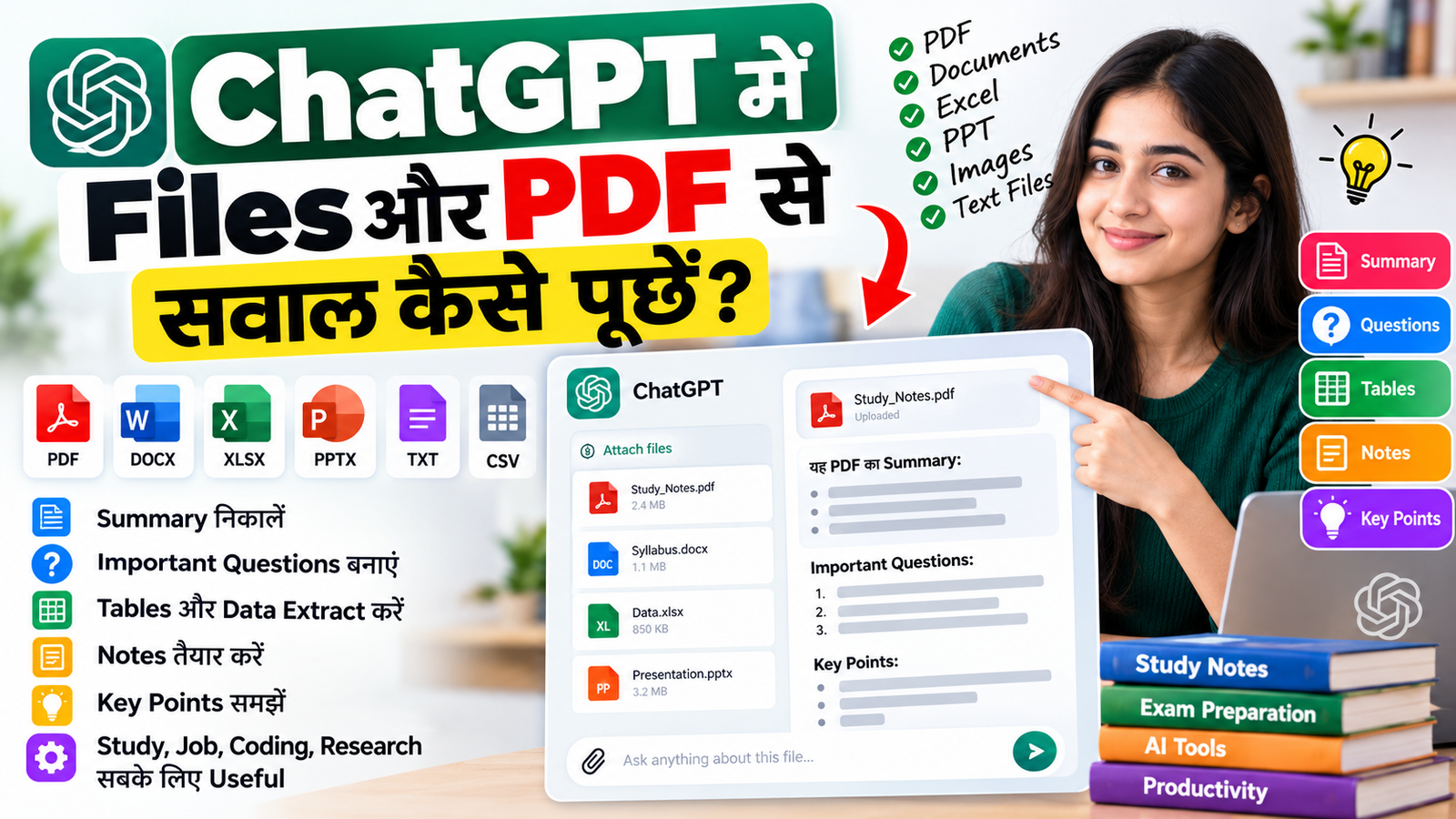
ChatGPT में Files और PDF से सवाल कैसे पूछें: PDF Upload, Summary, Questions और Notes की पूरी Guide
ChatGPT में Files और PDF से सवाल कैसे पूछें? अगर आपके पास कोई PDF, notes, report, study material, research paper, Excel file, document या अन्य supported file है, तो आप उसे ChatGPT में upload करके उसके content के बारे में सीधे सवाल पूछ सकते हैं।
अब आपको पूरी PDF manually पढ़कर हर important point अलग से निकालने की जरूरत नहीं है। आप ChatGPT से किसी document का summary, key points, important questions, tables, headings, comparison, explanation और specific information extraction जैसे काम करवा सकते हैं।
Students के लिए यह feature study notes और revision में useful हो सकता है। Developers documentation और code-related files को समझने के लिए इसका उपयोग कर सकते हैं। Professionals reports, spreadsheets और business documents analyze कर सकते हैं।
इस article में हम simple Hindi और basic Hinglish में समझेंगे कि ChatGPT में PDF और Files upload करके सही सवाल कैसे पूछें, कौन से prompts इस्तेमाल करें, tables और notes कैसे बनवाएं और किन बातों का ध्यान रखें।
ChatGPT में Files और PDF Upload करने का क्या मतलब है?
ChatGPT में supported files upload करके आप उनसे संबंधित questions पूछ सकते हैं।
Official OpenAI documentation के अनुसार ChatGPT uploaded files से information को analyze, summarize, extract और transform करने जैसे काम कर सकता है। Supported file types में PDF, XLSX, XLS, CSV, DOCX, PPTX और TXT जैसे common formats शामिल हैं।
उदाहरण के लिए अगर आपके पास:
100-page PDF notes
Government notification
Research report
College syllabus
Interview preparation PDF
Excel data
Business report
Project documentation
Coding documentation
Resume
Course material
है, तो आप file upload करके उसके content पर questions पूछ सकते हैं।
ChatGPT में PDF कैसे Upload करें?
PDF से सवाल पूछने के लिए सामान्य workflow काफी simple है।
Step 1: ChatGPT Open करें
ChatGPT app या supported web interface खोलें।
Step 2: Attachment/File Option चुनें
Chat interface में available attachment/file upload option से अपनी PDF या दूसरी supported file select करें।
Step 3: File Upload होने दें
File upload होने के बाद ChatGPT को बताएं कि आप उस document के साथ क्या करना चाहते हैं।
सिर्फ:
"इस PDF को पढ़ो"
लिखने के बजाय specific instruction देना ज्यादा useful होता है।
उदाहरण:
इस PDF को पढ़कर 10 सबसे important points Hindi में बताओ।
या:
इस PDF के Chapter 3 को simple Hindi में explain करो।
PDF Upload करने के बाद किस तरह के सवाल पूछ सकते हैं?
ChatGPT uploaded document से कई प्रकार के questions handle कर सकता है।
Official documentation में file-based workflows के examples में summary, document comparison, specific topic search, quotes/extraction, metadata extraction और specific sections निकालना शामिल हैं।
Common Tasks
| काम | Example Prompt |
|---|---|
| Summary | इस PDF का short summary बनाओ |
| Key Points | 20 सबसे important points निकालो |
| Questions | इस PDF से 50 MCQ बनाओ |
| Answers | इन questions के answers भी दो |
| Table | Important information को table में बदलो |
| Chapter | Chapter 5 explain करो |
| Search | PDF में "admission" से related information खोजो |
| Comparison | दोनों documents को compare करो |
| Notes | Exam preparation के notes बनाओ |
| Revision | Quick revision notes बनाओ |
| FAQ | PDF से FAQs बनाओ |
| Keywords | Important keywords निकालो |
PDF का पूरा Summary कैसे बनवाएं?
अगर आपके पास लंबी PDF है तो आप ऐसा prompt दे सकते हैं:
"इस PDF का detailed summary बनाओ। सभी major headings cover करो और important facts, dates, numbers और conclusions को अलग-अलग sections में बताओ।"
अगर आपको short summary चाहिए:
"इस PDF को 500 words में simple Hindi में summarize करो। सिर्फ important information रखो।"
और अगर exam preparation के लिए summary चाहिए:
"इस PDF को exam preparation notes में convert करो। Important definitions, facts, dates, formulas और frequently पूछे जा सकने वाले points को अलग sections में रखो।"
PDF से Important Questions कैसे बनाएं?
Students के लिए यह एक बहुत useful workflow हो सकता है।
उदाहरण:
"इस PDF से 100 important questions बनाओ। Questions को Easy, Medium और Hard difficulty में divide करो और हर question का answer भी दो।"
अगर MCQ चाहिए:
"इस PDF के content से 50 MCQ बनाओ। प्रत्येक question में 4 options हों और correct answer clearly बताओ। कोई information PDF के बाहर से मत जोड़ना।"
इससे uploaded study material को practice questions में बदला जा सकता है।
PDF से Table कैसे बनवाएं?
अगर PDF में बहुत सारी information scattered है, तो उसे structured table में बदलने के लिए prompt दे सकते हैं।
उदाहरण:
"इस PDF में दिए गए सभी important dates को Date, Event और Description columns वाली table में organize करो।"
या:
"इस document में मौजूद सभी products को Product Name, Price, Features और Category columns में table के रूप में दिखाओ।"
ChatGPT uploaded structured data को tables के रूप में analyze और present भी कर सकता है।
PDF से Specific Information कैसे निकालें?
मान लीजिए आपकी PDF 200 pages की है और आपको केवल एक particular topic की information चाहिए।
ऐसे पूछें:
"इस PDF में 'Artificial Intelligence' से संबंधित सभी important information निकालो। केवल document में मौजूद information का उपयोग करो।"
या:
"इस PDF में जहां-जहां 'eligibility' का उल्लेख है, उन सभी sections को identify करके उनका simple Hindi summary दो।"
यह पूरे document को manually search करने की जरूरत कम कर सकता है।
ChatGPT से PDF के किसी Chapter को Explain कैसे करवाएं?
अगर कोई chapter difficult है तो:
"Chapter 4 को बिल्कुल beginner level की Hindi में explain करो। पहले basic concept समझाओ, फिर examples दो और अंत में 10 revision questions बनाओ।"
Coding documentation के लिए:
"इस PDF में दिए गए Node.js concepts को beginner-friendly Hinglish में explain करो और हर concept का छोटा code example दो।"
इस तरह output को अपने learning level के हिसाब से customize किया जा सकता है।
PDF से Notes कैसे बनाएं?
Exam preparation के लिए आप यह prompt use कर सकते हैं:
"इस PDF को exam notes में convert करो। हर topic के लिए definition, important points, examples और possible exam questions दो। Unnecessary information हटाओ।"
Notes का recommended format
| Section | क्या निकालना है |
|---|---|
| Definition | Basic meaning |
| Important Points | Key facts |
| Examples | Practical examples |
| Dates | Important dates |
| Numbers | Important statistics |
| Keywords | Revision keywords |
| Questions | Expected questions |
| Answers | Short answers |
PDF से One-Liner Questions कैसे बनाएं?
Competitive exam preparation में one-liners useful हो सकते हैं।
Prompt:
"इस PDF से 100 one-liner questions बनाओ। प्रत्येक question का answer उसी line में दो और केवल PDF की information का उपयोग करो।"
उदाहरण format:
Q. Artificial Intelligence का मुख्य उद्देश्य क्या बताया गया है?
Answer: PDF के अनुसार — ...
PDF से MCQ कैसे बनाएं?
एक बेहतर MCQ prompt:
"इस PDF से 100 MCQ तैयार करो। हर question के 4 options हों। Correct answer के साथ 1-2 line explanation भी दो। Questions केवल uploaded PDF की information पर आधारित हों।"
इससे study material को quiz format में convert किया जा सकता है।
PDF से Revision Sheet कैसे बनाएं?
अगर exam अगले दिन है और आपको quick revision करना है:
"इस PDF की एक-page revision sheet बनाओ। केवल सबसे important facts, definitions, dates, formulas और keywords रखो।"
Long document को compact revision format में बदलने के लिए यह approach useful है।
दो PDF को Compare कैसे करें?
ChatGPT file uploads का उपयोग multiple documents को compare करने के लिए भी किया जा सकता है।
उदाहरण:
"इन दोनों PDFs को compare करो और बताओ कि कौन-कौन से points दोनों में common हैं और कौन से अलग हैं। इसे table में दिखाओ।"
Output:
| Topic | PDF 1 | PDF 2 | Difference |
|---|---|---|---|
| Topic A | Available | Available | Different explanation |
| Topic B | Available | Not Available | PDF 1 only |
| Topic C | Version 1 | Version 2 | Updated information |
ChatGPT से PDF की जानकारी का Source निकालने को कैसे कहें?
अगर आपको पता करना है कि कोई answer document के किस हिस्से से आया है, तो prompt में स्पष्ट instruction दें:
"हर answer के साथ PDF का relevant page number या section reference बताओ, जहां उपलब्ध हो।"
यह खासकर research और professional documents में useful हो सकता है।
PDF से केवल Headings कैसे निकालें?
अगर आपको document की structure समझनी है:
"इस PDF की सभी main headings और subheadings निकालकर hierarchical list बनाओ।"
इससे पूरी document structure जल्दी समझी जा सकती है।
PDF से Important Keywords कैसे निकालें?
Prompt:
"इस PDF से 50 सबसे important keywords निकालो और हर keyword का simple Hindi meaning बताओ।"
यह students और technical documentation पढ़ने वालों के लिए useful हो सकता है।
PDF को Simple Hindi में कैसे समझें?
अगर original document English में है:
"इस PDF को पढ़कर इसकी पूरी information simple Hindi में समझाओ। Technical terms English में ही रखो और उनके सामने आसान Hindi explanation दो।"
इससे technical content को Hinglish में समझना आसान हो सकता है।
PDF से English को Hinglish में Convert कैसे करें?
Prompt:
"इस PDF के important concepts को basic Hinglish में explain करो। बहुत कठिन English words avoid करो लेकिन technical terms जैसे API, Database, Authentication और JavaScript को English में ही रखो।"
यह coding और technology documentation के लिए particularly useful format है।
Developers के लिए PDF का इस्तेमाल
Developers technical documentation को ChatGPT में upload करके उससे practical questions पूछ सकते हैं।
उदाहरण:
"इस API documentation से सभी endpoints की list बनाओ।"
"हर endpoint के लिए method, URL, parameters और response format की table बनाओ।"
"इस documentation के आधार पर Node.js में API call का example लिखो।"
"Authentication process को step-by-step समझाओ।"
"इस documentation से common errors और उनके solutions निकालो।"
Business और Professionals के लिए PDF का उपयोग
Business report upload करके आप पूछ सकते हैं:
"इस report का executive summary बनाओ।"
"इस report के key findings निकालो।"
"Important numbers को table में organize करो।"
"Risk factors और recommendations अलग-अलग sections में बताओ।"
"इस report में दिए गए पिछले और current figures को compare करो।"
ChatGPT uploaded data से summaries, comparisons, tables और analytical outputs तैयार कर सकता है।
Excel और CSV Files से भी सवाल पूछ सकते हैं
ChatGPT केवल PDF तक limited नहीं है। Common supported file formats में spreadsheets जैसे XLSX, XLS और CSV भी शामिल हैं।
उदाहरण:
"इस Excel में total कितने records हैं?"
"सबसे ज्यादा sales किस product की है?"
"Duplicate records identify करो।"
"इस data का monthly summary बनाओ।"
"Top 10 products की table बनाओ।"
Structured data के लिए ChatGPT tables और charts भी generate कर सकता है, और calculations/transformations में data-analysis capabilities का उपयोग कर सकता है।
File से Data Analysis कैसे करवाएं?
अगर आप spreadsheet upload करते हैं, तो केवल "analyze this" लिखने के बजाय अपना goal बताना बेहतर है।
उदाहरण:
"इस Excel data को analyze करो। Total sales, average sales, highest-selling product, lowest-selling product और monthly trend बताओ। अंत में summary table बनाओ।"
Official guidance भी recommend करती है कि analysis के लिए यह बताना useful है कि आप कौन से columns, calculations, groupings या chart types चाहते हैं।
ChatGPT को Better Answer देने के लिए Prompt कैसे लिखें?
एक अच्छा file prompt सामान्यतः इन चीजों को specify करता है:
1. Context
आपने file क्यों upload की है?
2. Goal
आपको क्या चाहिए?
3. Scope
पूरी file या specific chapter/page/section?
4. Output Format
Paragraph, table, bullets, MCQ या JSON?
5. Language
Hindi, English या Hinglish?
Example
"मैं competitive exam की तैयारी कर रहा हूं। इस PDF को analyze करके केवल General Awareness से संबंधित information निकालो। पहले 30 important facts की table बनाओ, फिर 50 MCQ बनाओ और हर MCQ का correct answer तथा short explanation दो। Information केवल uploaded PDF से लेना।"
यह generic prompt की तुलना में ज्यादा precise है।
ChatGPT PDF Prompts की Useful List
Summary Prompt
इस PDF का detailed summary simple Hindi में बनाओ।
Key Points Prompt
इस PDF से 30 सबसे important points निकालो।
Exam Prompt
इस PDF से exam-oriented notes और important questions बनाओ।
MCQ Prompt
इस PDF से 100 MCQ बनाओ और प्रत्येक का correct answer बताओ।
Table Prompt
PDF में मौजूद important information को structured table में बदलो।
Research Prompt
इस document के मुख्य findings, evidence और conclusions अलग-अलग बताओ।
Comparison Prompt
इन दोनों documents के common और different points की comparison table बनाओ।
Beginner Prompt
इस document को beginner के लिए simple language में explain करो।
Developer Prompt
इस technical documentation से APIs, parameters, authentication और response formats की table बनाओ।
Revision Prompt
इस PDF की quick revision sheet तैयार करो।
ChatGPT से Follow-up Questions पूछना
एक बार PDF upload करने के बाद conversation को step-by-step आगे बढ़ाया जा सकता है।
उदाहरण:
पहला सवाल:
इस PDF का summary बनाओ।
दूसरा सवाल:
अब इसके सबसे important 20 points बताओ।
तीसरा सवाल:
अब इन्हीं points से 30 MCQ बनाओ।
चौथा सवाल:
जिन questions में calculation है उन्हें अलग करो।
पांचवां सवाल:
अब गलत answers की explanation भी दो।
इस तरह एक ही document से अलग-अलग प्रकार का useful output बनाया जा सकता है।
PDF और Scanned PDF में क्या Difference है?
यह point बहुत important है।
अगर PDF में actual selectable digital text है, तो text-based analysis सामान्यतः ज्यादा straightforward होता है।
लेकिन अगर PDF केवल scanned images से बनी है, या उसमें complex image-based tables हैं, तो exact text/value extraction हमेशा reliable नहीं हो सकती। OpenAI की documentation भी image-based/scanned files और complex visual layouts के मामले में limitations बताती है।
इसलिए अगर किसी table का exact number बहुत important है, तो संभव हो तो original spreadsheet या text-based source provide करना बेहतर है।
PDF में Images और Charts के बारे में Important बात
PDF के अंदर embedded visuals को analyze करने की capability account/product context पर depend कर सकती है। OpenAI की current documentation के अनुसार PDF visual retrieval की specific capability Enterprise में available है; अन्य plans में document processing text-based हो सकती है।
इसलिए अगर आपकी PDF में कोई critical chart, scanned table या image-based information है, तो जरूरत पड़ने पर उस chart/image को अलग image के रूप में upload करके भी analysis कराया जा सकता है।
Privacy और Sensitive Information का ध्यान रखें
किसी भी AI tool में file upload करने से पहले document की sensitivity check करना जरूरी है।
इन चीजों को बिना जरूरत upload नहीं करना चाहिए:
Passwords
OTP
Banking credentials
Credit/Debit card details
Private API keys
Authentication tokens
Highly sensitive personal information
Confidential company secrets
File handling, retention और data-use policies product/account settings के अनुसार अलग हो सकती हैं, इसलिए sensitive documents के लिए current official privacy/data-control information जरूर check करें।
ChatGPT File Upload Limits
File size और usage limits account, plan, file type और workspace settings के अनुसार vary कर सकते हैं। Current OpenAI documentation के अनुसार सामान्य ChatGPT conversation/GPT uploads में individual file size limit 512 MB तक हो सकती है; text/document files के लिए 2 million tokens तक की सीमा बताई गई है, जबकि CSV/spreadsheets के लिए लगभग 50 MB की सीमा बताई गई है।
इसलिए बहुत बड़ी या complex file होने पर उसे smaller sections/files में divide करना practical हो सकता है।
AI Answer को Blindly Trust क्यों नहीं करना चाहिए?
ChatGPT uploaded document को analyze करके useful answer दे सकता है, लेकिन important information के मामले में verification जरूरी है।
विशेष रूप से:
Legal information
Medical information
Financial information
Government rules
Current prices
Current policies
Dates
Statistics
Technical production decisions
जैसी information को original document या official source से verify करना चाहिए।
अगर आप data analysis करवाते हैं, तो generated calculations, assumptions और method को भी review करना useful है। OpenAI की documentation भी analysis results और assumptions को review करने की सलाह देती है।
ChatGPT में Files और PDF का Best Use कैसे करें?
सबसे अच्छा workflow यह हो सकता है:
Upload File → Define Goal → Ask Specific Question → Review Answer → Ask Follow-up → Verify Important Information
उदाहरण:
PDF Upload
↓
Summary बनवाएं
↓
Important Points निकालें
↓
Table बनवाएं
↓
Questions/MCQ बनवाएं
↓
Difficult Topics Explain करवाएं
↓
Final Revision Notes बनवाएं
यह workflow students, developers, researchers, creators और professionals के लिए अलग-अलग तरीके से इस्तेमाल किया जा सकता है।
Students के लिए Best Prompt
"इस PDF को मेरी exam preparation के लिए analyze करो। पहले chapter-wise summary दो। फिर important facts और definitions की table बनाओ। उसके बाद 50 MCQ बनाओ। प्रत्येक question में 4 options, correct answer और short explanation हो। केवल uploaded PDF की information का उपयोग करो।"
Developers के लिए Best Prompt
"इस technical PDF/documentation को analyze करो। सभी APIs की method, endpoint, authentication, parameters और response format की table बनाओ। इसके बाद Node.js/Express में practical examples दो और documentation में बताए गए common errors तथा उनके solutions अलग section में बताओ।"
Final Checklist
PDF या file upload करने के बाद यह checklist follow करें:
File सही upload हुई है
Goal clearly बताया है
Specific question पूछा है
Required output format बताया है
Hindi/Hinglish language बताई है
जरूरत हो तो page/section specify किया है
Important facts verify किए हैं
Sensitive information unnecessarily share नहीं की
AI-generated output को final करने से पहले review किया है
Frequently Asked Questions
क्या ChatGPT PDF पढ़ सकता है?
हाँ। Supported PDF files को upload करके उनके content के बारे में summary, extraction और questions जैसे tasks किए जा सकते हैं।
क्या PDF से questions और answers बन सकते हैं?
हाँ। आप स्पष्ट prompt देकर uploaded document की information से questions, MCQ और answers बनवा सकते हैं।
क्या ChatGPT PDF का summary बना सकता है?
हाँ। Short summary, detailed summary, chapter-wise summary और exam-oriented notes जैसे formats मांगे जा सकते हैं।
क्या PDF की information table में बदल सकते हैं?
हाँ। आप specific fields/columns बताकर information को structured table में organize करने के लिए कह सकते हैं।
क्या Excel और CSV भी analyze किए जा सकते हैं?
हाँ। XLSX, XLS और CSV जैसे common spreadsheet formats supported हैं और उनसे calculations, summaries, tables और charts जैसे analysis tasks किए जा सकते हैं।
क्या scanned PDF हमेशा accurately पढ़ी जा सकती है?
जरूरी नहीं। Image-based/scanned PDFs और complex visual layouts में exact extraction की limitations हो सकती हैं।
क्या ChatGPT का हर answer सही होता है?
नहीं। Important और current information को original document या trusted/official source से verify करना चाहिए।
क्या ChatGPT से PDF को Hindi में समझ सकते हैं?
हाँ। आप output language और complexity स्पष्ट करके simple Hindi या basic Hinglish में explanation मांग सकते हैं।
क्या एक ही PDF से MCQ, notes और summary तीनों बन सकते हैं?
हाँ। आप एक ही uploaded file पर अलग-अलग follow-up prompts देकर अलग output formats प्राप्त कर सकते हैं।
Conclusion
ChatGPT में Files और PDF से सवाल पूछना केवल summary बनाने तक limited नहीं है। सही prompt के साथ आप किसी document से key points, notes, tables, questions, MCQs, explanations, comparisons और specific information निकालने की कोशिश कर सकते हैं।
सबसे important बात यह है कि prompt जितना clear होगा, expected output उतना ही useful होने की संभावना रहती है।
अगर आप student हैं तो PDF को notes और quiz में बदल सकते हैं। Developer हैं तो documentation को API reference और coding examples में convert कर सकते हैं। Business user हैं तो reports को summary, tables और analysis में बदल सकते हैं।
लेकिन sensitive information share करते समय सावधानी रखें और important facts को original source से verify करें।
Team Sarkari Resultess



Comments (0)
Login to leave a comment.